

The Art of the Perfect Bug Report: A Tester’s Guide to Clear Communication

Introduction
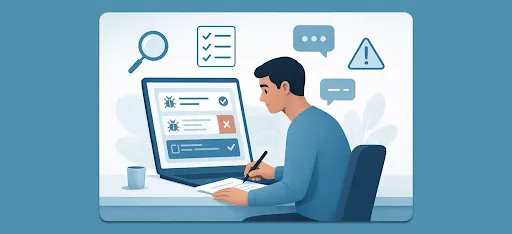
Software testing is more than just finding flaws; it’s about communicating those flaws in a way that leads to a quick, efficient fix. The link between a tester who finds a bug and a developer who fixes it is the bug report. A poor report can lead to confusion, delays, and friction. A great report is a collaboration tool that accelerates the entire development process.
This detailed guide will transform your bug reporting skills, making you an indispensable part of your team.
1. Why Bug Reporting is the Cornerstone of Quality
A bug report isn’t a complaint; it’s a critical piece of documentation. When a tester reports a bug effectively, they provide a crystal-clear path for the developer to reproduce the issue, understand its impact, and implement a fix quickly.
Poor Report = Wasted Time:
If a developer can’t reproduce the bug based on your report, they waste time trying to figure out what you did, or they might even mark the bug as “Not Reproducible.” The bug remains, and the user eventually finds it.
Good Report = Velocity:
A precise, comprehensive report acts like a developer’s blueprint. It ensures they spend their time coding the solution, not detective work, drastically speeding up the release of high-quality software.
2. Key Elements of a Good Bug Report
A great bug report is structured and contains all the necessary ingredients to tell the full story of the defect.
| Elements | Description | Best Practice & Example |
|---|---|---|
| Clear TItle/Summary | The what and where of the issue in one short sentence. | Bad: site is slow. Good: [Product Search] API request time out when filtering by "Price Range: $500+". |
| Environment | The neccesery context:where the bug lives. | Include Application Version (e.g., 4.2.1), OS (e.g Windows 11), and Browser/Device (e.g., Chrome 129/iPhone 15 pro). |
| Steps to Reproduce | A numbered list of minimal actions,starting from a known state.This is the most crucial part! | 1. Login as a standard user 2. Navigate to /dashboard 3. Click the "Add Widget" button. 4. Select the "Weather Forecast". |
| Expected Result | What the system should have done to the design to requirement | The weather widget should load with the default city of New York. |
| Actual Result | The undesirable or broken behavior you observed | A blank Widget appears, and a browser console shows an undefined property error. |
| Severity & Priority | Severity is the technical impact(how bad is it?).Priorty is the business urgency(how fast must we fix it?). | Severity: Blocker (App crash) vs.Priority Highest (Must be fixed before tommorrows release). |
| Attachments | Visual and technical proof | Always include screenshots or a short video recording for technical issues, attach console logs or network logs as files. |
3. Best Practices: Making Your Reports Actionable
Be Economical with Steps
Only list the steps that are absolutely essential to trigger the bug. If the bug appears after step 3, don’t include steps 4 through 10. Developers appreciate precision; they don’t want to wade through unnecessary clicks.
Use Objective Language
Your report is a factual statement. Avoid opinions or emotional language that can put a developer on the defensive.
"Instead of: “The button looks ugly and terrible on mobile.” "
"Use: “The ‘Confirm’ button on iOS 17 is clipped by the viewport and does not conform to the design specification (see attached image and link to spec).”"
Check Your Assumptions
Before logging a bug, verify that the behavior is truly incorrect. Do you have the latest code? Did you clear your cache? Does the behavior contradict the written requirements? A bug marked “Not a Bug” is a time-waster for everyone.s
As a tester, you are the final line of defense for the development team. It is a best practice to perform an internal sanity check or pre-testing round on the feature before it is formally handed over to the client or external stakeholders for User Acceptance Testing (UAT).
- The Goal: The primary goal is to catch the most obvious, high-severity, or embarrassing bugs (known as “showstoppers”) internally, so the client never sees them. You want your development team to look polished and professional.
- Avoid Grandstanding: Do not use the number of bugs you found to boast or shame your developers, especially in front of clients or management. Announcing, “I found 50 major bugs on your feature!” is damaging to team morale and reputation. Your job is to fix the quality, not just report the lack of it.
- Internal First: If you are testing simultaneously with a client (or they have early access), prioritize testing the most critical paths and report those bugs to your developer immediately in your internal bug tracker. This gives the developer a chance to fix it before the client even has time to find it. You are protecting your teammate and the project’s reputation.
4. Common Mistakes Testers Make and How to Avoid Them
| Mistake | Consequence | How to Fix it |
|---|---|---|
| One Report, Many Bugs | Hard to track, assign and verify.Leads to confusing ticket history. | One Bug = One Ticket. If you find four bugs, log four separate reports |
| Vague Environment | Developers can not reproduce the bug because their environment differs | Always specify the exact building number and user type.(e.g., standard user, guest, admin). |
| Missing Expected Results | The developer does not know what to aim for, or might fix the wrong thing. | Always state the ideal outcome, often by referencing a design mock-up or requirement documents. |
| Copy-Pasting Huge Results | Make the report unreadable and buries critical information | Attach large logs as a seperate text file and only copy the most relevant error line into the description |
5. Sample Bug Report: Template and Example
Bug Report Template
| Field | Input Guide |
|---|---|
| Summary/Title | (Where) (What happened) |
| Component | (e.g., Login, API, Database, UI.) |
| Environment | (OS Browser/Device, App Version) |
| Severity/Priorty | (Blocker, Major, Minor, Trivial) (Highest, High, Medium, Low) |
| Steps to Reproduce | 1. ... 2. ... 3. ... |
| Expected Result | What should happen. |
| Actual Result | What accually happened. |
| Attachment/Evidence | (Screenshot/Video/Logs) |
Well-Written Example
| Field | Example Content |
|---|---|
| Summary/Title | [Profile Settings] User is unable to save a new avatar image greater than 2MB. |
| Component | User Profile Management |
| Environment | OS: MacOS Sonoma 14.1, Browser: Firefox v121.0, App Version: 3.5.2 |
| Severity/Priorty | Severity:Major, Priority:Medium (User can not customize, but the app is fine.) |
| Steps to Reproduce | 1. Log in to the application as a standard user 2. Navigate to the "Profile Setting"page. 3. Click the "Change Avatar" button 4. Upload an image file (png, 5MB size) 5. Click the "Save Changes" button. |
| Expected Result | An informative error message should be displayed: "File size should exceeds the 2MB limit." |
| Actual Result | The "Save Changes" button spin indefinitely, and the browser console shows a 500 server error after 30 seconds (Network log attached). |
| Attachment/Evidence | profile-settings-500-error.mp4 (Video demonstrating the spin), network_log_12-05-2025.txt |
6. The Human Element: Communication and Collaboration in 2025
The software industry in 2025 is highly collaborative, but conflicts — or “fights” — between QA and Development can still arise.
2025: Communication Tools and Workflow
Today, the standard communication for bug reporting happens almost entirely within centralized issue tracking systems (Jira, Linear, GitHub Issues, etc.), often integrated directly with communication platforms like Slack or Microsoft Teams.
- Reporting: Testers log bugs in the issue tracker, leveraging tools like session replay or AI-powered analysis to automatically include technical data (like console errors) with the report.
- Discussion: Developers receive instant notifications in Slack/Teams when a bug is assigned. Any follow-up questions are first posted as comments directly on the bug ticket to keep the conversation centralized and accessible to the whole team.
- Visual Context: Video snippets (via Loom, etc.) are the new standard for explaining complex reproduction steps, vastly reducing the need for back-and-forth verbal communication.
The Conflict: Why QA and Dev Fight
The core reason for conflict is often misaligned goals, pressure, and miscommunication, not personal animosity:
- 1“Blame Game” Mentality: Developers are pressured to deliver features quickly; testers are pressured to ensure quality. A bug is sometimes seen as a failure of the developer, leading to defensiveness and a feeling of “I was right, you were wrong.”
- 2Lack of Understanding: A developer might see a bug as a “low-impact edge case” that isn’t worth fixing immediately, while the tester views it as a “blocker” that could hurt a major client.
- 3Ambiguous Requirements: If the original user story or requirement wasn’t clear, a developer and tester might genuinely disagree on what the “Expected Result” should be, leading to a frustrated debate.
- 4Poor Bug Reports: A vague report forces the developer to interrupt the tester repeatedly, creating frustration and a sense that the tester is “wasting their time.”
Best Practices to Avoid Conflict
- 1Focus on the Product, Not the Person: The goal is a successful product for the user. When discussing a bug, use “The feature is failing to do X,” not “You wrote code that failed to do X.” Frame all conversations around user impact and business risk.
- 2Involve the Product Owner/Manager: If there’s a disagreement about whether something is a bug (i.e., is the behavior correct, or is the requirement ambiguous?), let the Product Owner make the final decision. This takes the personal conflict out of the QA/Dev relationship. The tester’s job is to flag the risk; the PO’s job is to prioritize it.
- 3Shift Left: Collaborate Early and Often: Don’t wait until the feature is “done” to test. In 2025, modern teams promote Shift-Left Testing. Review requirements together, discuss testing approaches before coding starts, and have the developer demonstrate the completed feature to the tester (a “mini-handoff”) to ensure a shared understanding. This prevents surprises and fosters teamwork.
- 4Be Grateful and Respectful: A simple “Thanks for fixing that so quickly!” goes a long way. Developers and testers are two halves of the same team. Build a rapport based on mutual respect for each other’s expertise. The developer is the expert on how the code works; the tester is the expert on how the user will interact with it.
- 5Be a Shield for Your Dev Team (Internal Pre-Testing): In a truly collaborative environment, the QA team acts as the internal shield for the developers. When a feature is ready, testers must perform a thorough internal QA cycle first. By catching critical bugs before the product goes to external testing or to the client, you ensure that the client’s testing experience is smooth. This shows the client a united, competent team and fosters trust internally, as the developer knows the tester is covering their back. Your ultimate goal is not to find bugs, but to prevent bugs from reaching the customer.
Conclusion - Collaboration Is the Key
Bug reporting isn’t just about documenting issues; it’s about enabling collaboration, trust, and improvement. A good tester doesn’t just find bugs — they communicate them in a way that helps developers act quickly and confidently.
Remember:
- A clear bug report saves time.
- A constructive attitude builds stronger teams.
- And in 2025, where automation handles much of the grunt work, human clarity and respect remain irreplaceable.
By following these principles, you not only make developers’ lives easier — you make your entire software development lifecycle smoother, faster, and more effective.
Blogs
Discover the latest insights and trends in technology with the Omax Tech Blog. Stay updated with expert articles, industry news, and innovative ideas.
View Blogs