

Angular Update Guide

Prerequisites
Before you started make sure you have completed all the required installations such as:
- npm (Node Package Manager) and NodeJS compatible version which is required by the angular i.e:
- NodeJS v14.x.x or Later from https://nodejs.org/en/download and choose your compatible version.
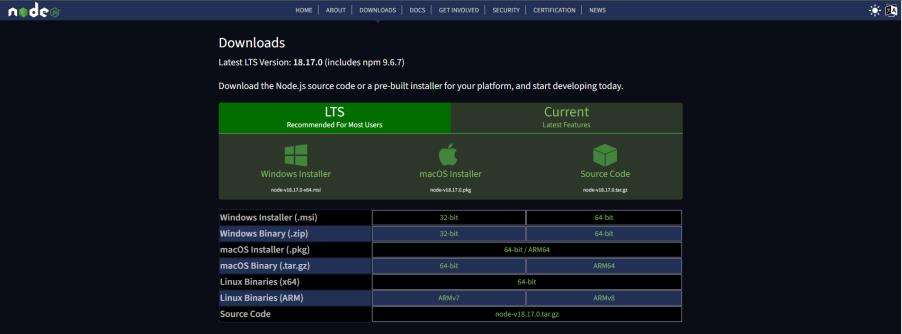
- npm v7.x.x or Later.
By installing NodeJS npm will be also installed by itself so no need to worry about that follow the official document for further help.
Link: https://docs.npmjs.com/downloading-and-installing-node-js-and-npmAngular CLI Update
After performing the above installation your system is ready for the Angular Update. Assuming Angular’s older version 10.x.x or 11.x.x is already installed in your system. Now you need to update to version 14.2.11.
We use npm to Install Angular CLI by running this command on the shell.
- “npm install -g @angular/cli@14.2.11”

This command will install Angular CLI v14.2.11 globally.
Update Your App
You can find many online contents to update the Angular App but no guarantee that it will easily work for you. Here’s the best and tested approach to updating the app with fewer hurdles on an initial basis.
- Create a new angular 14 test app in your local directory by using this command.
- “ng new angular14TestApp”

This command will create Angular App v14.2.11
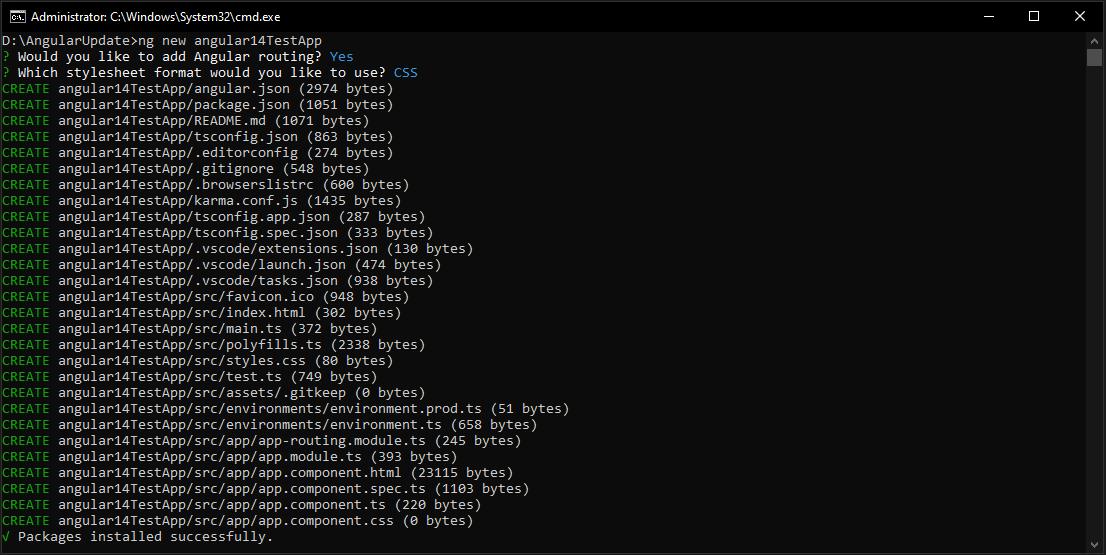
Once Packages installed successfully now replace the version of dependencies and devDependencies in package.json of the old app with the new app as shown below.
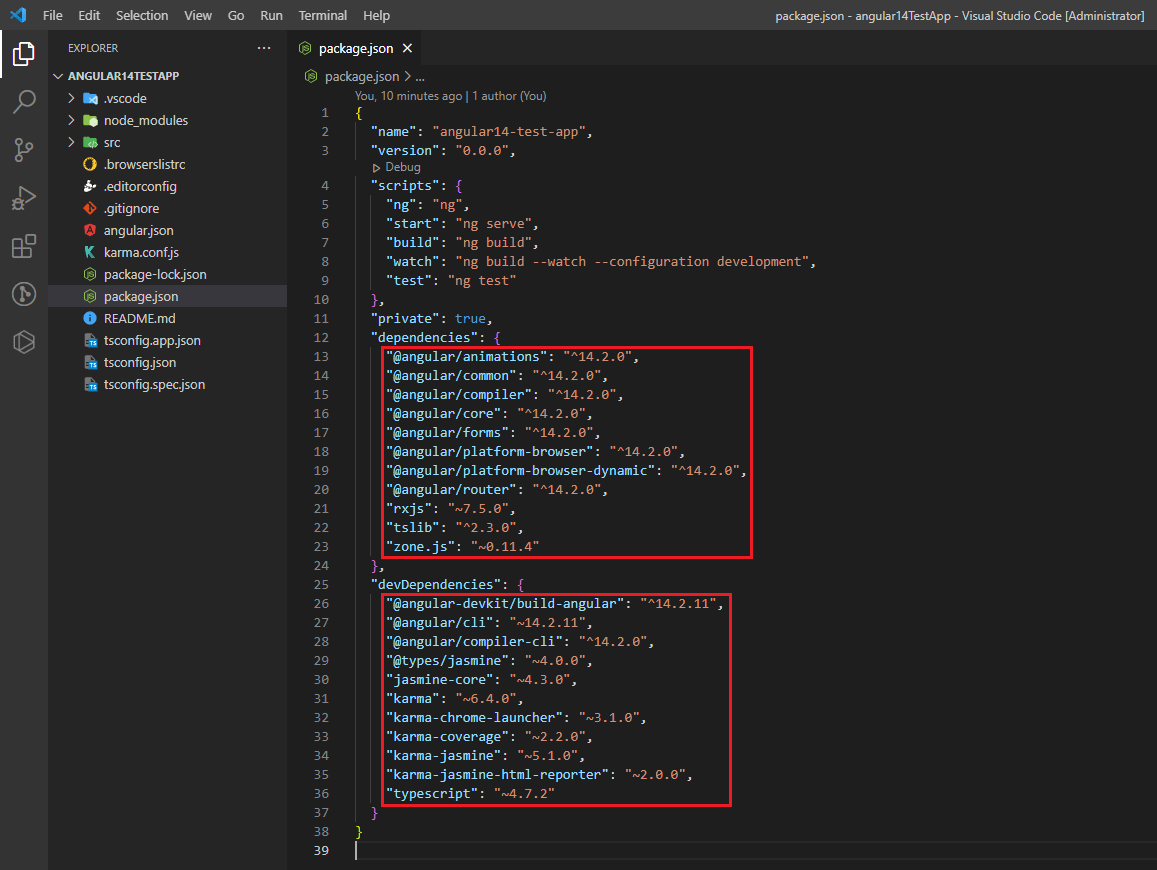
Angular 14 Test App
- After replacing versions delete node_modules of the old angular app and run “npm install” to reinstall the compatible versions in the old app.
Update Third-Party Packages
In order to be compatible with Angular 14 it might be necessary to update a lot of Third-Party libraries and packages. Make sure you have documentation and release notes on the libraries used in your project. To update them to the most recently supported version, please do so.
Review Deprecated APIs and resolve them
Some deprecated APIs that you used in Angular 11.2.14 may be introduced in Angular 14. To update your code, you need to check the Angular Update Guide and Documentation for deprecated APIs.
Check your Codebase
Review your codebase to find out if there are breaking changes or discontinued APIs that you may need to change, after updating Angular CLI, Core Packages, and Third-Party Dependencies. Attention shall be given to the following:
- The syntax for the Angular template.
- Angular lifecycle hooks.
- Changes in Angular Material component (if used)
Run and Test
After performing the above checks run your new Angular 14 app and test each of the components and functionalities to ensure that all features function as expected and that there are no regressions or problems. You may also face issues related to the styling and functionalities if any feature encountered an issue fixed them for example ng-select. You need to check the version and its newly added feature and apply them to your codebase. Depending on the specific features and dependencies that your application is using, it can have a different update process.
Blogs
Discover the latest insights and trends in technology with the Omax Tech Blog. Stay updated with expert articles, industry news, and innovative ideas.
View Blogs